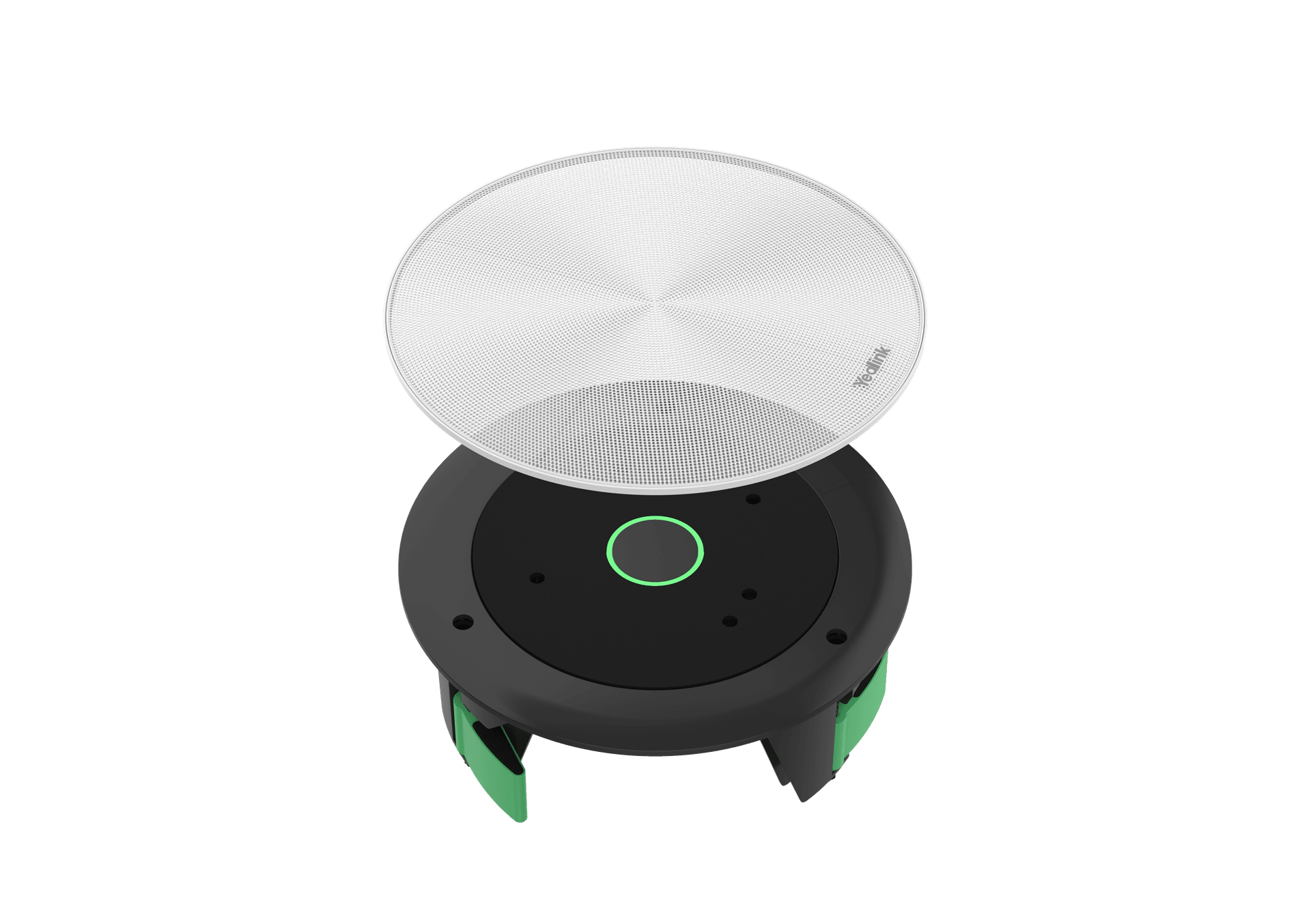
CM20 CEILING AUDIO SOLUTION
· AES67 beamforming mic array
· Plug-and-play
· Seamless meeting experience
Products
Every Yealink product line, from PBX systems to gateways and accessories.
View all 416 productsMeeting rooms
Phones and headsets
Platforms and accessories
By meeting space
See all (6) →By platform
Superior Sound, Simplified Design and Deployment.image-container-1 a { display: inline-block; transition: transform 0.3s; } .image-container-1 a:hover { transform: scale(1.05); }
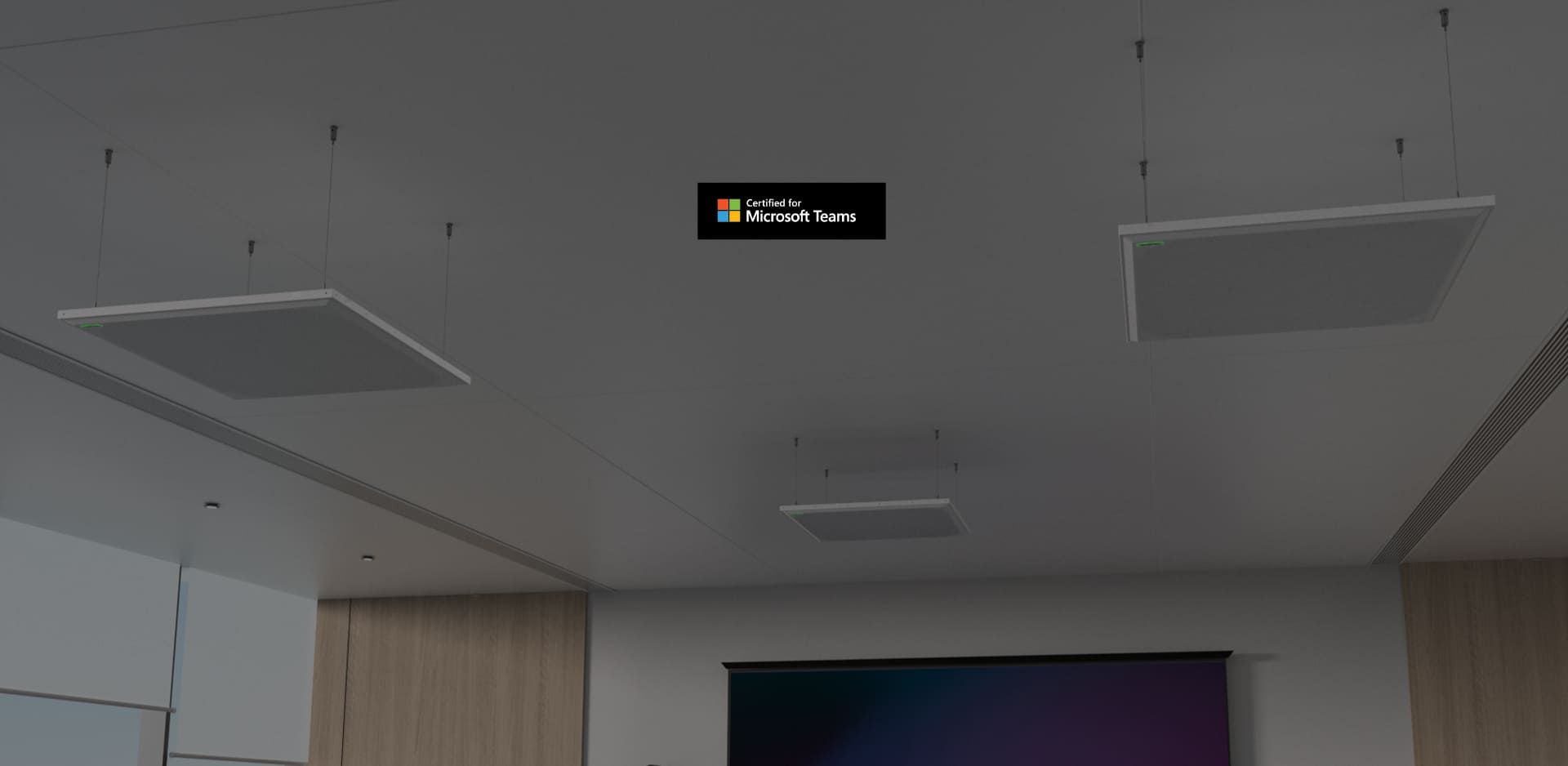
· AES67 beamforming mic array
· Plug-and-play
· Seamless meeting experience
· 127 Wide-range mic units
· Premium DSP
· High fidelity audio
· Customized voice pick-up area
· Smart integration with multi-cam solution
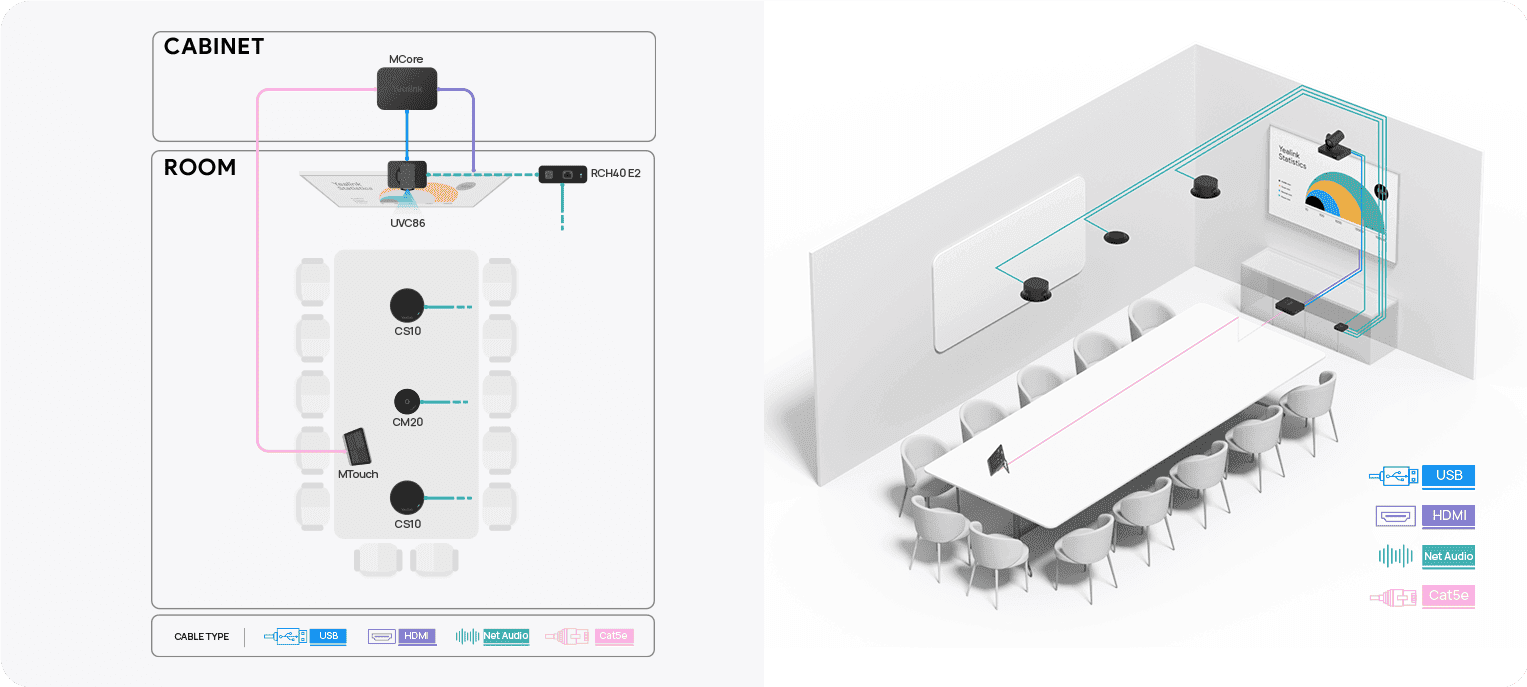
RECOMMENDED SPACE DESIGN
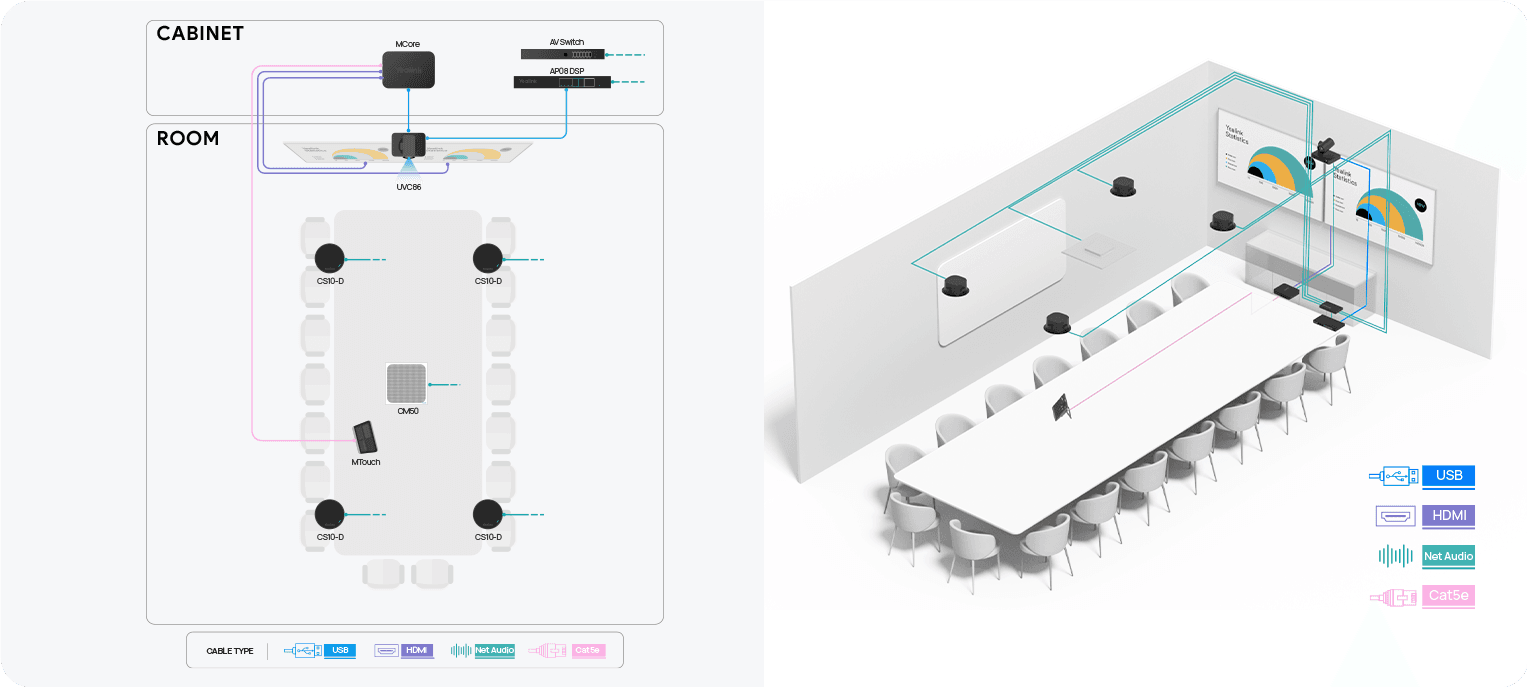
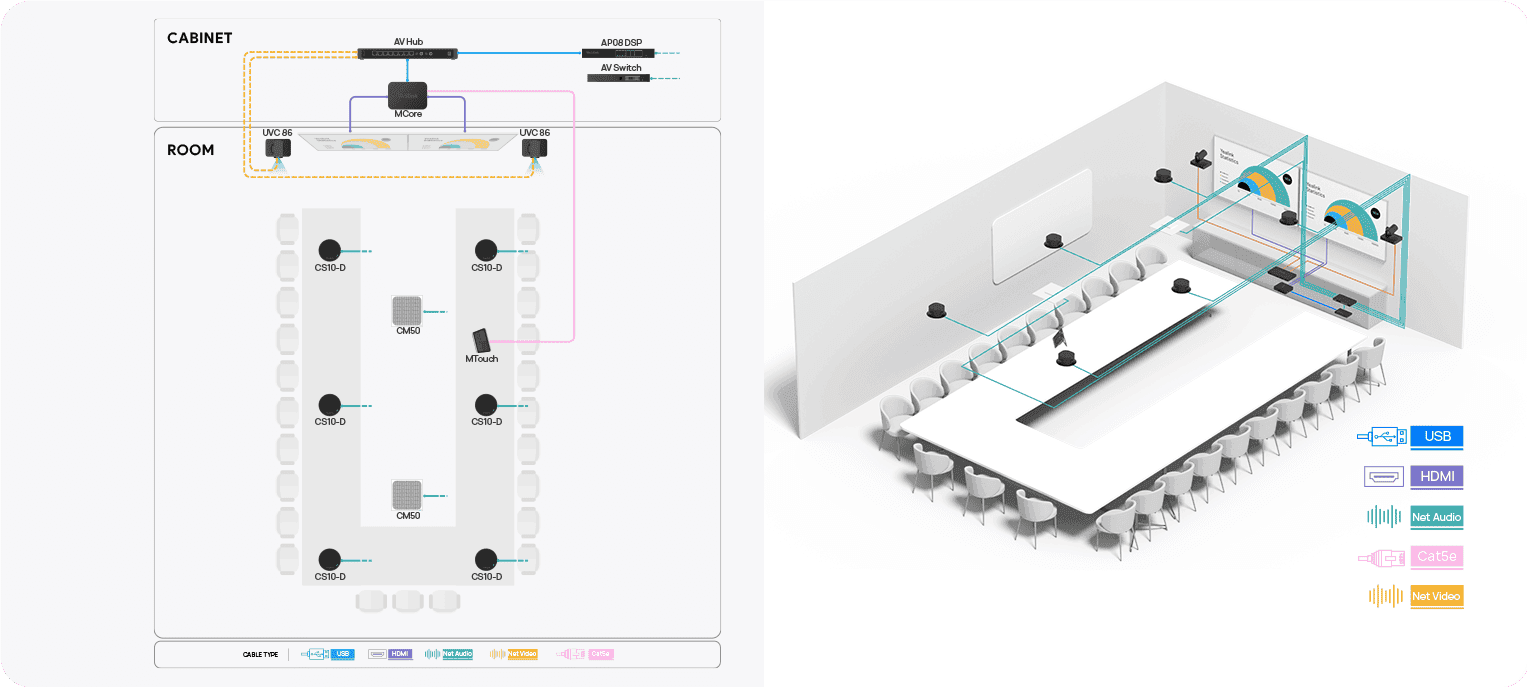
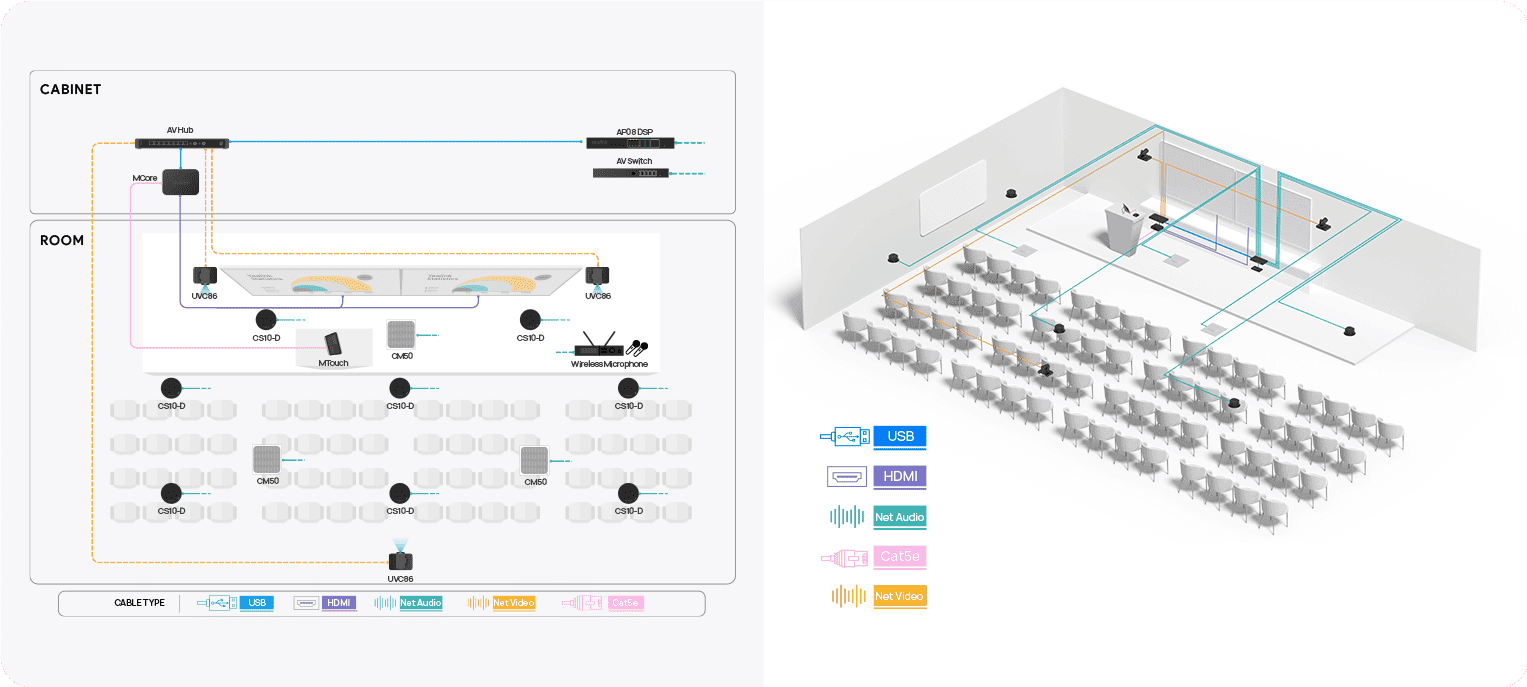
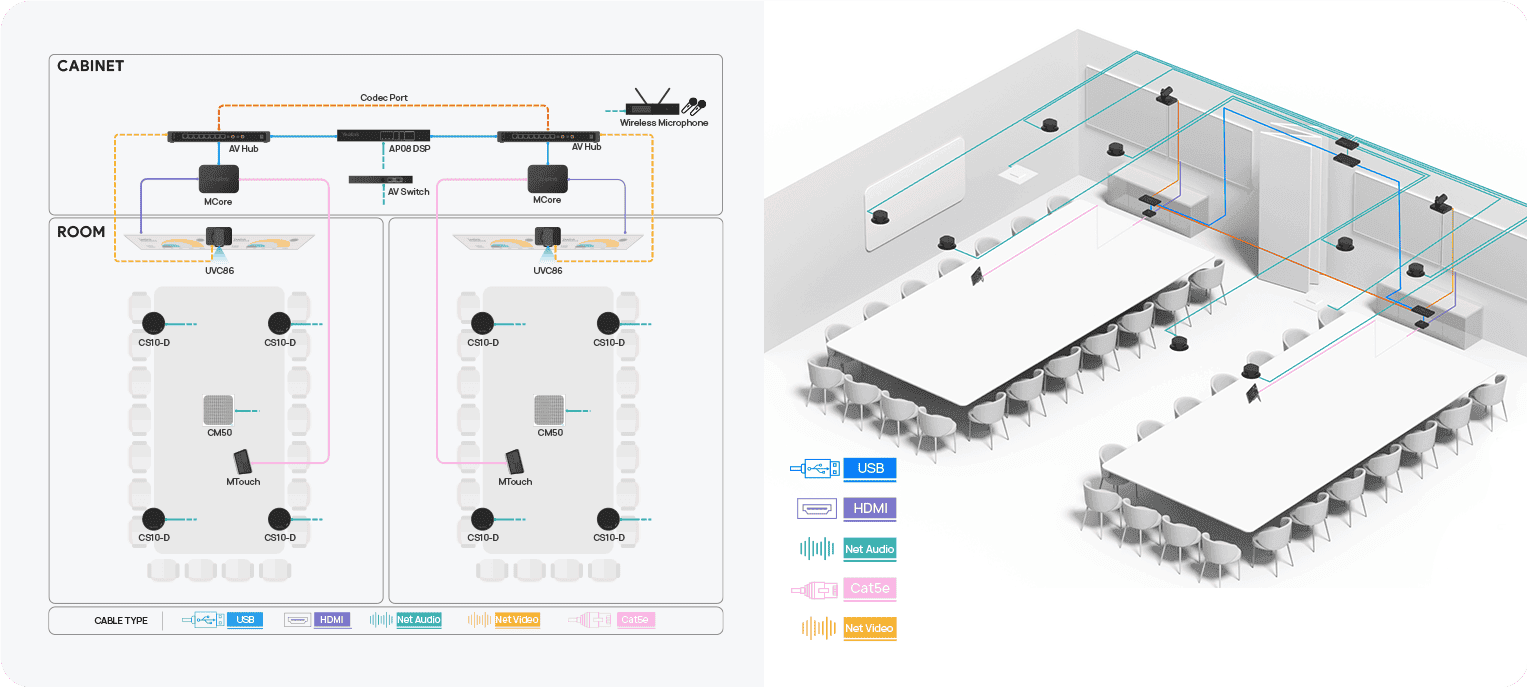
Which types of meeting rooms recommended by Microsoft Teams are suitable for Yealink ProAudio devices?
How to connect multiple Yealink ProAudio devices to the switch?
Please refrain from daisy-chaining the devices. Currently, the ProAudio devices only support a star topology connection.
What is the power comsumption for Yealink ProAudio devices?
Can I use switches with EEE (Energy Efficient Ethernet) with my Yealink ProAudio devices?
No. EEE (Energy Efficient Ethernet) is designed to decrease switch power consumption during low network traffic.
However, some switches do not perform the power negotiation properly or automatically. This may lead to unintended EEE activation in Yealink networks, resulting in synchronization issues and occasional dropouts. Therefore we strongly recommend that:
NOTE
Currently, the Yealink RCH40 switch is explicitly prohibited for use, as it does not allow EEE to be disabled.
What types of switches are recommended for Yealink ProAudio devices?
You can use the following types of switches:
What audio devices can work with CM20/CS10 when CM20/CS10 is connected to Yealink host devices?
Is there a number limitation when directly connecting the Yealink ProAudio equipment to a single RCH40 E2/AVHub?
The table below lists the power consumption of CM20 and CS10.
Here is the consumption of AVHub:Noted: Each VCH port of RCH40 E2 Support PoE+ power supply (30W PSE with 25.5 power supply)
Here is the consumption of RCH40 E2:Noted: Each port (except Uplink port) of RCH40 E2 Support PoE+ power supply (30W PSE with 25.5 power supply)
If you want to directly connect Yealink ProAudio devices to the host device using an Ethernet cable, you can use either RCH40 E2 or AVHub to connect to the host device.
What is the maximum number of SkySound devices supported by Yealink host devices?
The above table is only applicable to CM20 and CS10. The CS10-Dante version is not compatible with the above hosts.
Contact Us
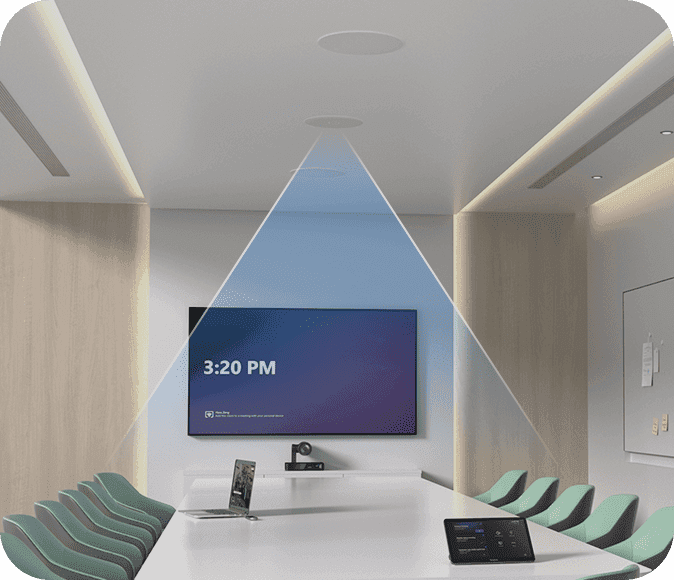
Medium-large meeting room (4 × 6 m, 7-12 people)
Meeting Scenario: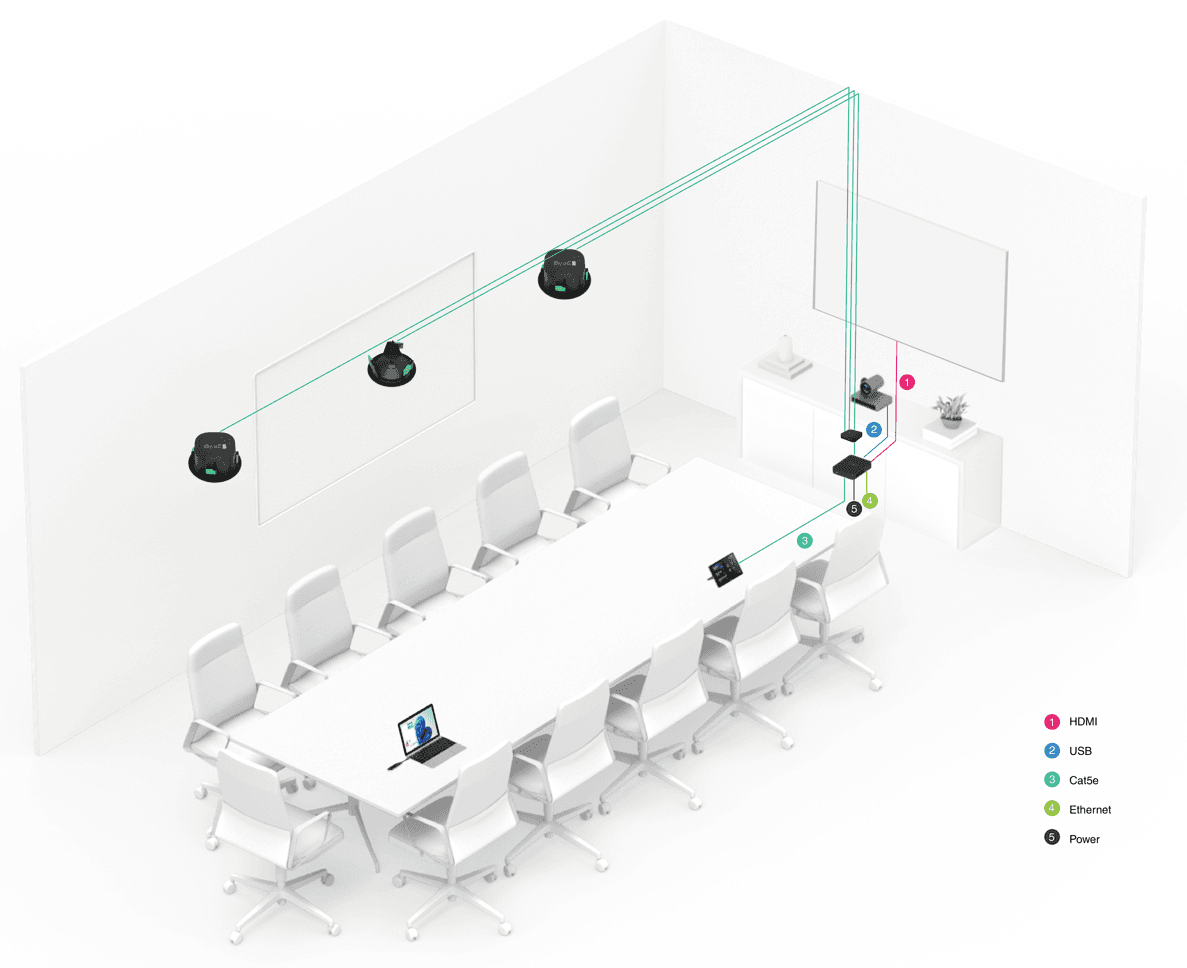
Connection: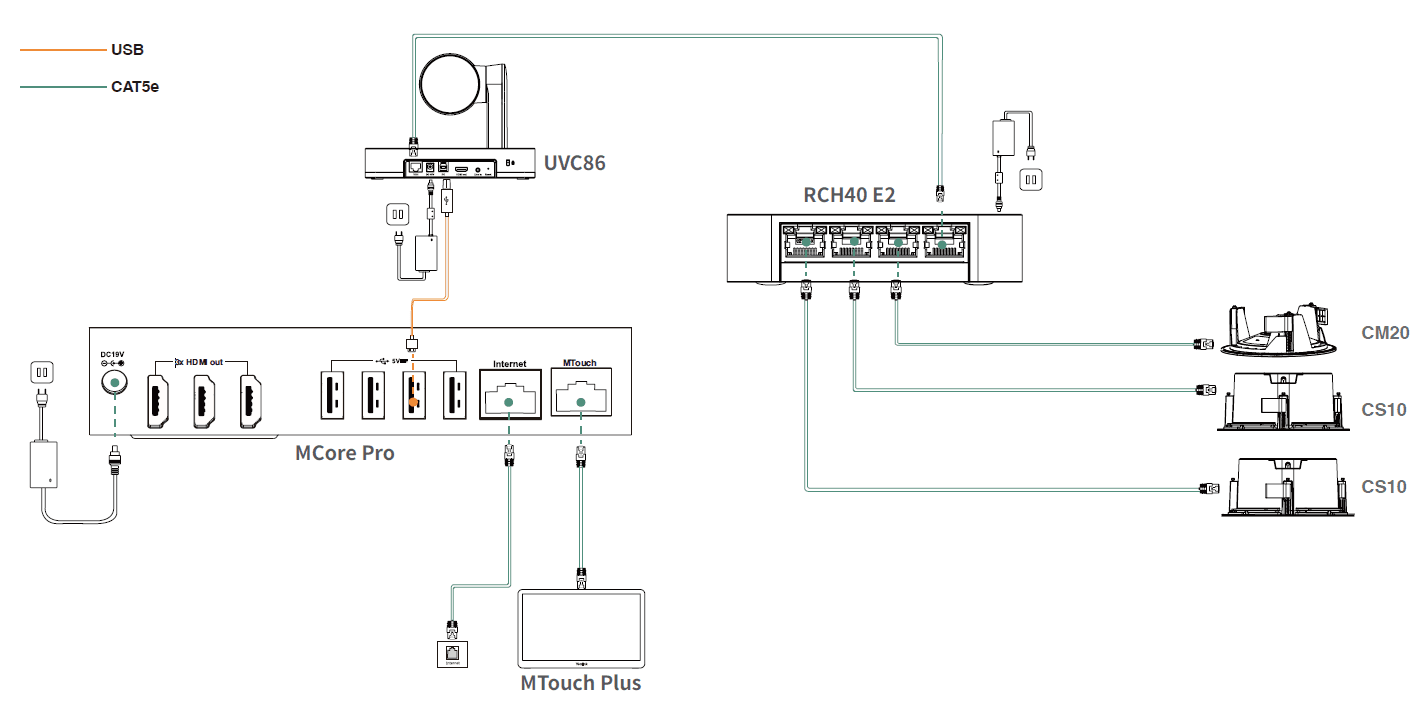
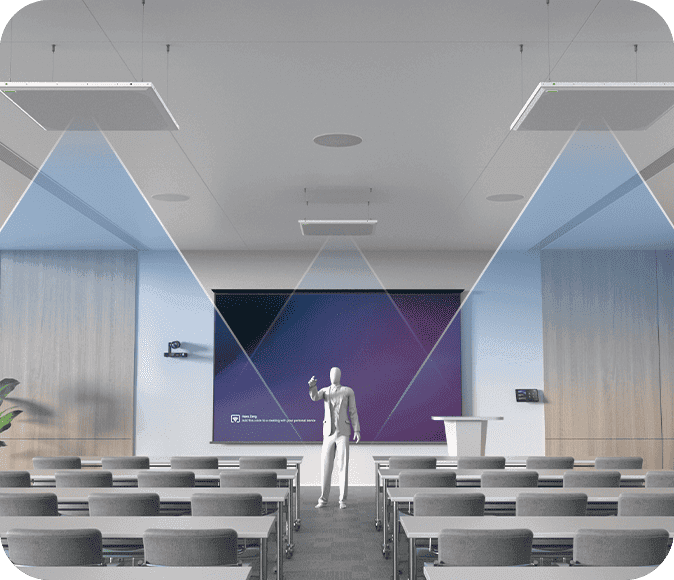
Extra-large meeting room (4 × 8 m, 12-20 people)
Meeting Scenario: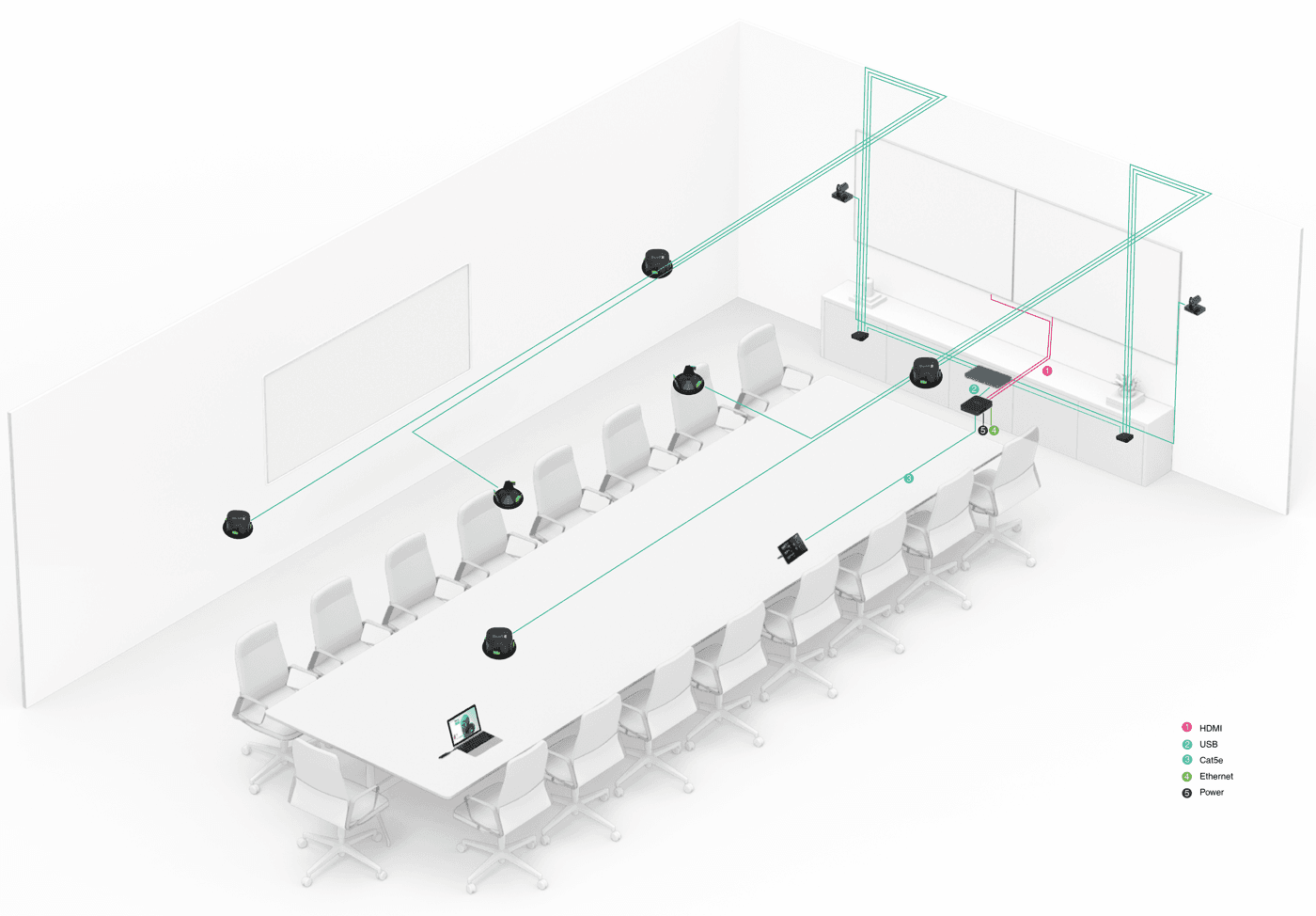
Connection: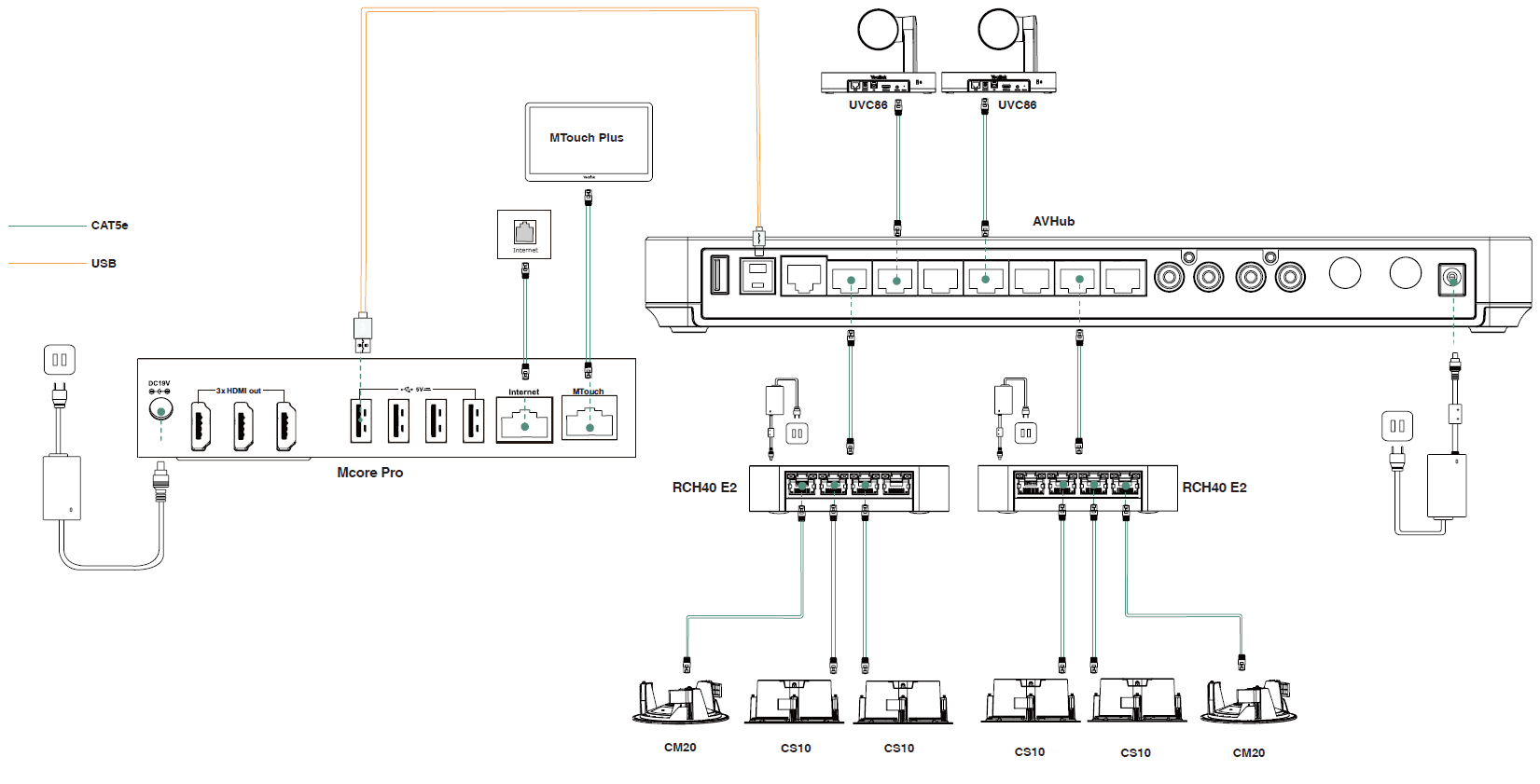
For unmanaged switches, use switches without the EEE feature as you cannot disable the EEE feature in these switches.
For managed switches, use switches that allow the EEE to be disabled and ensure that the EEE is disabled on all ports used for real-time traffic.
For a single RCH40 E2, it supports 2 speakers + 2 microphones, and it is not recommended to connect more than 3 speakers (which require RCH40 E2 to provide 24W for each port connected with CS10) simultaneously to avoid the risk of insufficient power.
For a single AVHub, it supports 2 CS10 + 2 CM20, and it is not recommended to connect more than 3 speakers (which require AVHub to provide 24W for each port connected with CS10) simultaneously to avoid the risk of insufficient power.
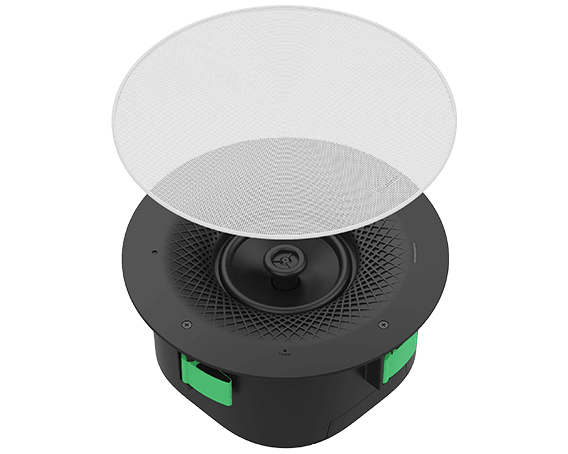
The Yealink CS10 is a low-profile, 2-way coaxial ceiling network speaker designed for modern meeting environments. PoE-compatible and expandable, it delivers exceptional audio quality with an elegant minimalist design. Ideal for…
Describe your requirements. Our team can help you select and plan your Yealink solution.